
 By Samantha Felix
Business Insider
Most people don’t realize that Facebook (FB) can continue to monitor their internet activity, even if they are no longer logged into the site.
Using “Facebook Connect,” and other social plug-ins, Facebook is able to set up a cookie on any site that has a “Like” or “share” button, giving Facebook access to a startling amount of user information. Technically, the purpose of these plug-ins is to authenticate users, but it still has the ability to collect personal information such as the IP address of your computer, browsing data, outside login information, phone numbers, etc.
The cookie, known as the “datr” cookie, has been a controversial topic for the past year. Using this cookie, among other things, Facebook knows what you have read on a web page even if you did not click the “like” button. As the Wall Street Journal reported, “for this to work, a person only needs to have logged into Facebook or Twitter once in the past month. The sites will continue to collect browsing data, even if the person closes their browser or turns off their computers.”
To help users control how and when their information is tracked and distributed, companies such as Abine and Ghostery have developed tools that allow users to block Facebook social plug-ins, cookies, and other trackers.
We identified five practical options for consideration, including an option for web site publishers that will help protect their customers from trackers while keeping their websites running smoothly.
Do Not Track Plus — A browser add-on that will identify and block trackers.
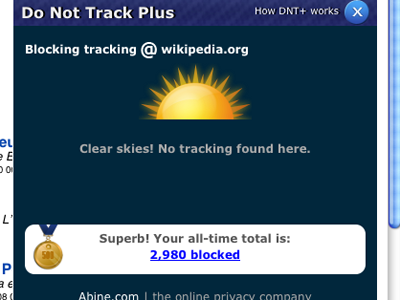 As Business Insider previously reported, Abine’s DNT+ tool is a FREE add-on that monitors, tracks, and allows users to block any trackers and requests that may be following their internet activity. It is compatible with MAC or PC for Chrome, Firefox, Safari, and Internet Explorer. It is currently able to block more than 600 trackers, and automatically updates to catch new trackers.
Ghostery — similar to DNT+ but this add-on is also available for Opera.
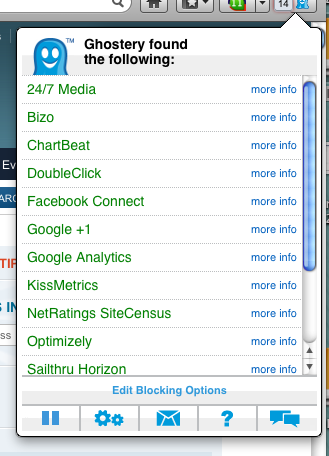 Similar to DNT+, Ghostery is a browser add-on, owned by Evidon, that protects consumer privacy while online. By giving the consumer visibility into who is tracking their online activity and allowing them to block all or specific trackers, it empowers users with the ability to stop third parties from collecting their personal information without permission. It currently has more than 16 million monthly users and pulls data from over 26 million web domains via an opt-in service of 7 million users.
Ghostery is free to download, free to use, and does not contain any adware or spyware. It is available for all major browsers: Firefox, Safari, Chrome, Opera and Internet Explorer.